Appearance
Data Bundles Overview
Quick Answer
Data bundles are the third-party data sets that power SiteZeus analytics and predictive models, including demographics, traffic counts, restaurant sales benchmarks, population movement, and social segmentation. Manage them from the Data Bundles page, where you can see which bundles your project includes, switch bundle versions, and request information about bundles you have not licensed yet.
Where to Find Data Bundles
- Open your project
- Select Data Bundles in the sidebar
- The Data Bundles tab lists every data bundle available to your project
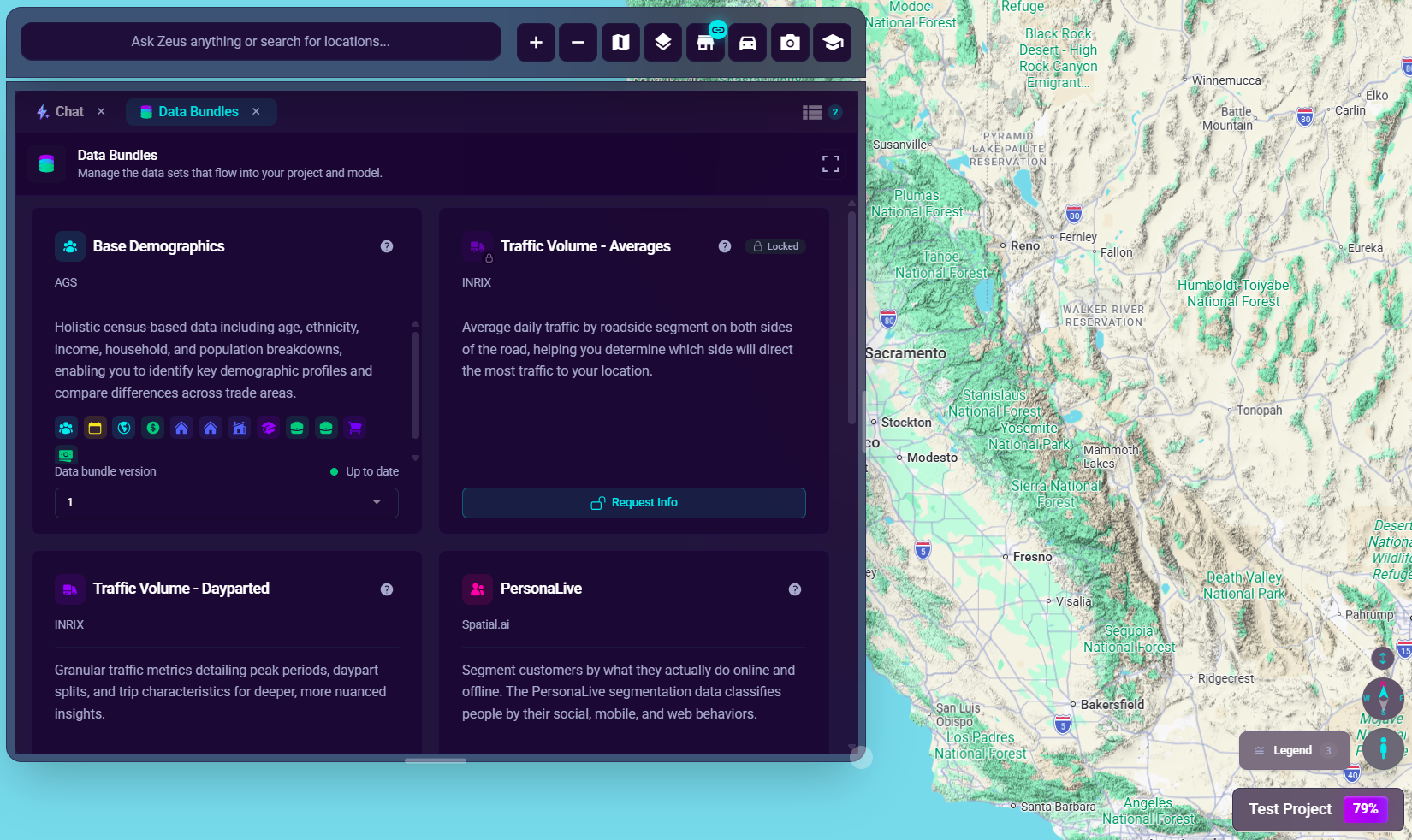
Each bundle card shows the bundle name, the data provider, a short description, and your subscription status. Subscribed bundles include a version picker; locked bundles show a Request Info button (when your role can view licensing) so you can ask the SiteZeus team about adding them.
Available Data Bundles
| Bundle | Provider | What It Provides |
|---|---|---|
| Base Demographics (AGS) | AGS | Census-based population, age, income, and household data |
| Base Demographics (Claritas) | Claritas | Census-based population, age, income, and household data (legacy) |
| Restaurant Sales Index | Black Box Intelligence | Aggregated restaurant industry sales benchmarks |
| Traffic Volume - Dayparted | INRIX | Traffic counts by direction and time of day |
| Traffic Volume - Averages | INRIX | Average daily traffic by road segment |
| Population Pulse | Azira | Population movement patterns by hour and day type |
| Proximity | Spatial.ai | Social-based consumer segmentation from geotagged conversations |
| PersonaLive | Spatial.ai | Household segmentation from social, mobile, and web behaviors |
Read more about each data set:
- AGS Demographics
- Claritas Demographics
- Black Box Intelligence
- INRIX Traffic Data
- Population Movement Data
- Spatial.ai Proximity
- PersonaLive
Bundle Versions
Data providers refresh their data sets over time, and each refresh becomes a new bundle version.
- The version dropdown on a subscribed bundle card shows the version currently assigned to your project.
- A status dot indicates whether the bundle is Up to date or an Update available.
- Selecting a different version stages the change; apply it to update the data your project uses.
- Changing bundle versions can affect model results, so coordinate version updates with a model rebuild.
Requesting a New Bundle
If a bundle shows as locked, your subscription does not include it yet:
- Click Request Info on the bundle card
- Fill in your contact details and any comments
- Submit the form and the SiteZeus team will follow up about licensing